How To Submit Your Virtual Results
You can submit your results between June 26 and July 2 by following the instructions below. Please remember that you must be logged into the RunSignup account you used to register to submit your results!
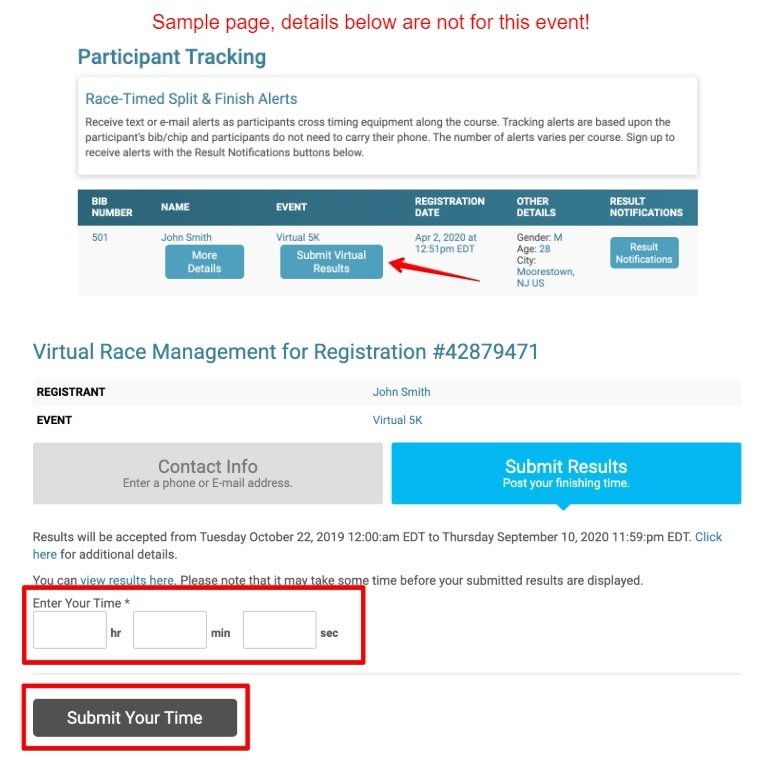
Navigate to the race page > and select the Result tab > then select Submit Virtual Results


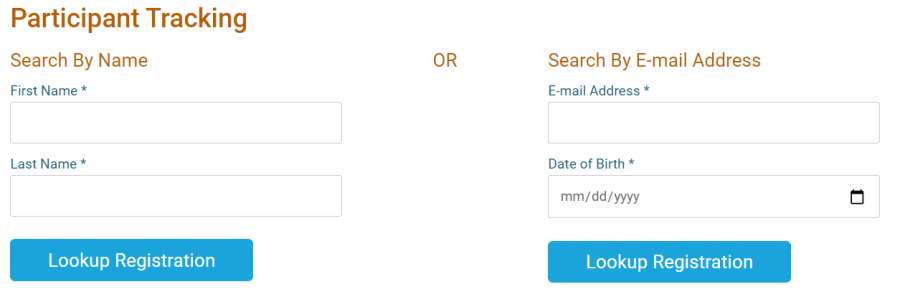
Next search for your registration either by first and last name or by email address and DOB.
Once you have found your registration select Submit Virtual Results > Enter in your time > then select Submit Results