
How to Log Your Miles
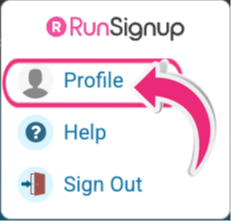
Each time you want to log miles in our challenge, go to your profile icon in the top right corner of the website. Click on "PROFILE".
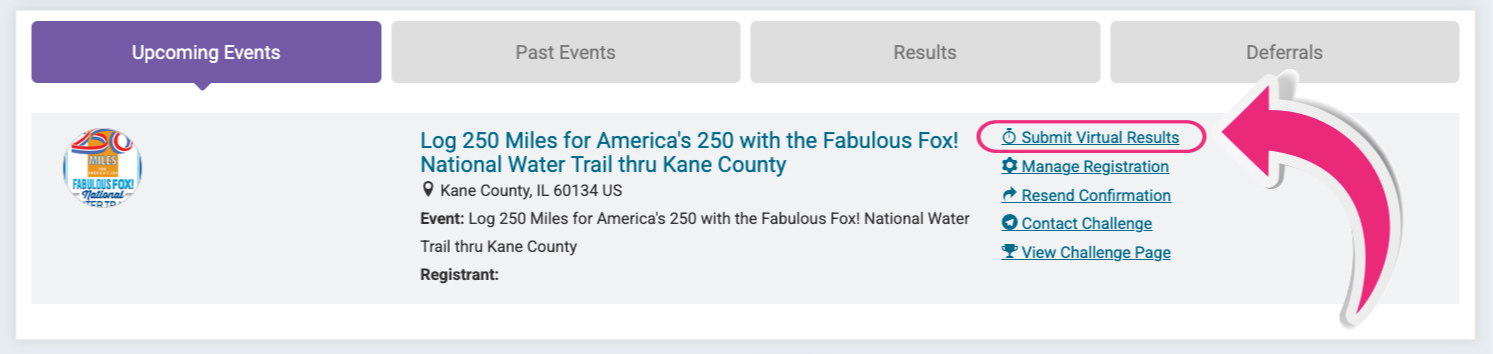
Under your profile page, in the middle of the page, make sure you are clicked on our event:
Log 250 Miles for America's 250 with the Fabulous Fox! National Water Trail thru Kane County
To the right of the event is a clickable "Submit Virtual Results". Here is where you can log your activity miles for the Challenge!
You can log unlimited times with different activities, run, ride, walk, ski, paddle/row, or roll. Mark the date you completed the activity, how many miles you are logging and the time it took you to do your activity. Each mile will add up automatically and when you hit a milestone (75, 125 or 250 miles) you will receive an online badge and an email with a certificate entitling you to the Log 250 challenge items. You will get a lapel pin for 75 miles, a t-shirt for 125 miles and a race medal for 250 miles. Happy Logging!
*items are available while supplies last
For more ways to log your challenge miles visit:
