How to Submit Time
You will have two options to submit your results!
- Download the RaceJoy App and follow the instructions to start your tracking. When you cross the *virtual* finish line your results will automatically be submitted!
- Use your smartwatch or favorite running app to time yourself over 5K, 10K, or a mile, and then log your miles directly into the RunSignUp System. You will receive an email with instructions to upload directly using your unique link on the morning of October 1st! If you do not get the email, you can follow the instructions below. You will only be able to enter data from 12/07/2026-12/20/2026. If you are having any trouble, please contact: events@runnersfit.com
Submit your time from your individual results page ->>
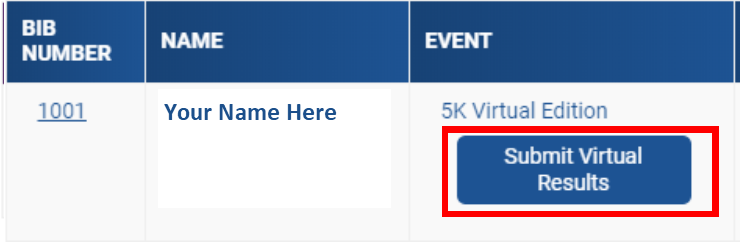
- Click Here then search for your name.
- Click SUBMIT VIRTUAL RESULTS
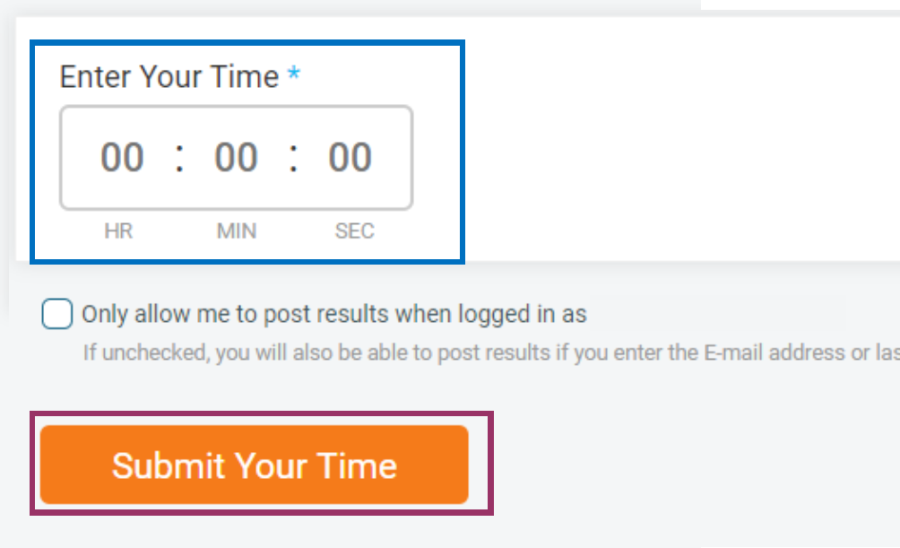
If you are not logged into your RunSignUp account, you will be required to enter your email or the last 4 digits of the phone number you used for registration to verify yourself. Once on the Log Activities page, you can ENTER YOUR TIME and then SUBMIT YOUR TIME.