


Event Description
The Heritage Classic is a virtual event sponsored by Employee Well-Being and the Heritage Program that provides Mayo staff, contractors, students, retirees, volunteers and their families with an opportunity for physical activity that promotes personal growth and community while supporting the Mayo Clinic Hope Fund.
The Heritage Classic is the primary fundraiser for the Hope Fund, which helps patients and their families cover indirect and unanticipated costs, such as food, lodging and transportation, while receiving care at any Mayo Clinic location.
Events
New in 2026! 10K a Day Challenge during September. As you prepare for the Heritage Classic events in October, the 10K a Day Challenge can be a great motivator to get you up, moving, and ready for your event of choice. The idea is simple, get in 10,000 steps (or the equivalent) most days of the week.
Three virtual events will take place October 1-31. Registration for all events will remain open through Oct. 31. All participants will have until November 7 to enter in their results.
Virtual events allow all Mayo Clinic staff and their families to participate regardless of location. We encourage teams to plan events that fit their schedules and needs. Buddy up and walk on a work break or get together to work out and enjoy a picnic afterwards. Get creative on how to create community while Moving for Hope.
- Classic 5K: Complete your 3.1 miles anytime and anywhere during the month of October.
- Monthlong Marathon: Accumulate your 26.2 miles by walking or running throughout October.
- Mayo Minutes Challenge: Aim to accumulate 150 minutes of physical activity each week in October.
The events will include virtual engagement and tracking opportunities, with Heritage Milestones to inspire individuals and teams through connection to our past. These offerings take the place of apparel and medals which will not be offered this year.
Events
Form a Team
Rally your friends, family or coworkers to join you in one of the Heritage Classic events. Ideally, your team all participates in the same event but you don't have to. The 'team captain' is usually the one who creates a group/team. The team captain will need to share the team name and details with the people they want to join their team. During the event registration, you will be asked if you would like to join or create a group/team.
If you have already registered and want to join or create a team, see the FAQ below.
No Registration Fee
Due to the positive response in 2025, Mayo Clinic is again covering the registration fee for all participants to enjoy physical activity, learn more about Mayo Clinic heritage and connect with others. If able, we ask you to consider making a gift to the HOPE fund. You can now set up a recurring monthly gift for $5 or more through payroll deduction.
Contact Us
Share Your Journey and Photos
Join the Heritage Classic Engage group to ask questions, share wins, and display your training or event photos.
You can also share your photos on RunSignup while you are logged into your profile.
FAQ
No, the Heritage Classic Planning Committee has opted to reduce material and shipping expenses to better demonstrate our value of stewardship and maximize the amount to be donated to the Hope Fund.
There are a few ways you can add your activity. results
- Log in to RunSignup: https://runsignup.com/login
- Navigate to your profile by selecting the profile icon in the top right of the window (see image below)

- Within the Heritage Classic Event you are registered for, select "Submit Virtual Results"

Or
- Navigate to the Heritage Classic event site (https://runsignup.com/Race/MN/Anywhere/MayoClinicHeritageClassic) and select "Results" in the top navigation menu
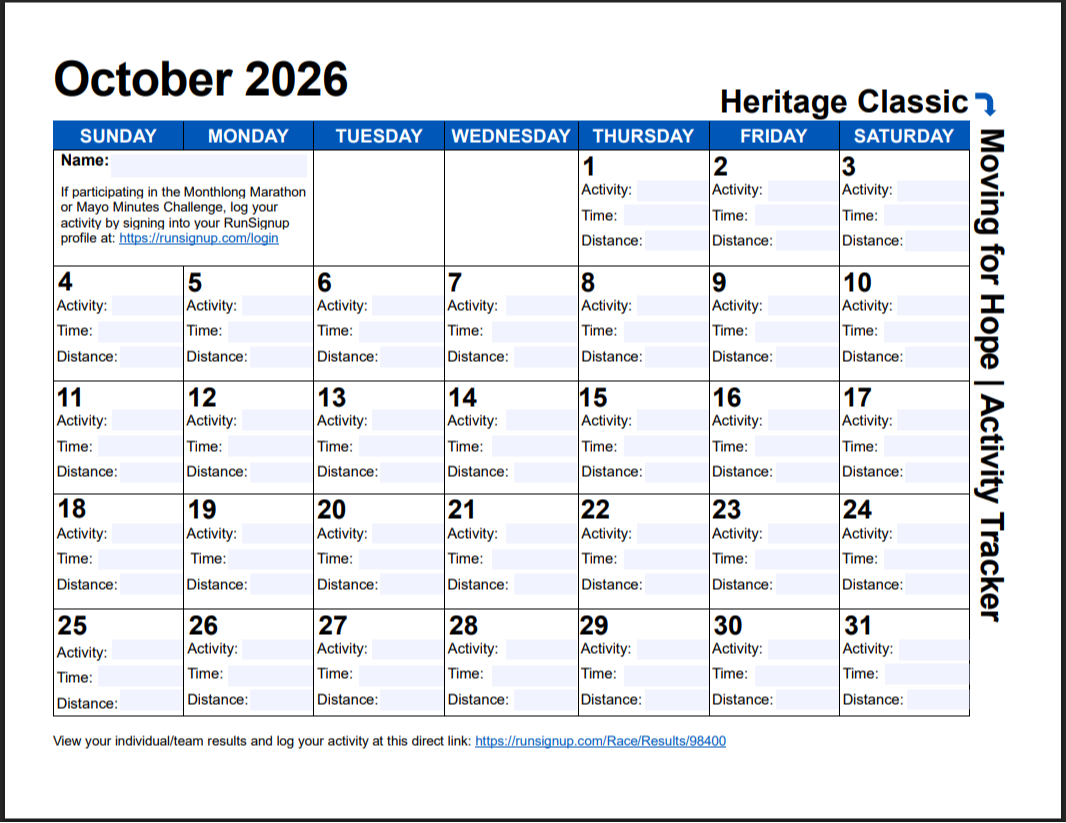
You do not have to go in every day. We recommend using the Activity Tracker to keep track of your mileage or minutes for the event you are participating in. You can set a weekly reminder to login to RunSignup and update your weekly activity all at one time. Entering your activity helps the leaderboards stay as up-to-date as possible.
How can I join or create a team after I have registered?
- Log into your RunSignup profile by selecting the profile icon in the upper right corner of your browser window. (See image below)
From the drop down menu, select "Sign In".
- Once signed in, select the profile icon again. From the drop down menu, select "My Registrations".
- Under the upcoming event you want to join or create a team for, select "MANAGE REGISTRATION". (See image below)

- Select" GROUP/TEAM" in the top menu. (see image below)

- This page will list any groups/teams you are apart of, and you can join or create a group/team by selecting the corresponding tile. (See image below)

