The Fred Bigelow Memorial 100 Km Challenge

Sat November 1 - Sun November 30
OUTDOORS, BC V9N 9S7 CA

How to Log Activities

Step 1.

Sign up to participate.
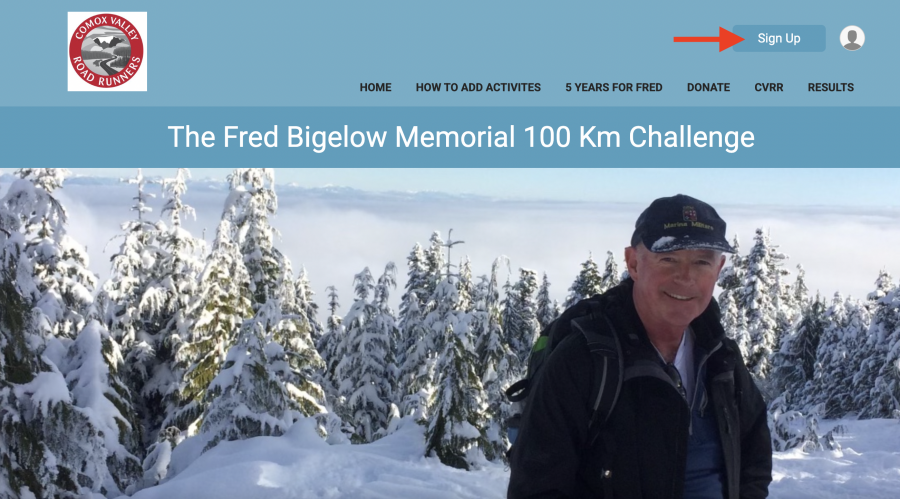
in the event.


Step 2

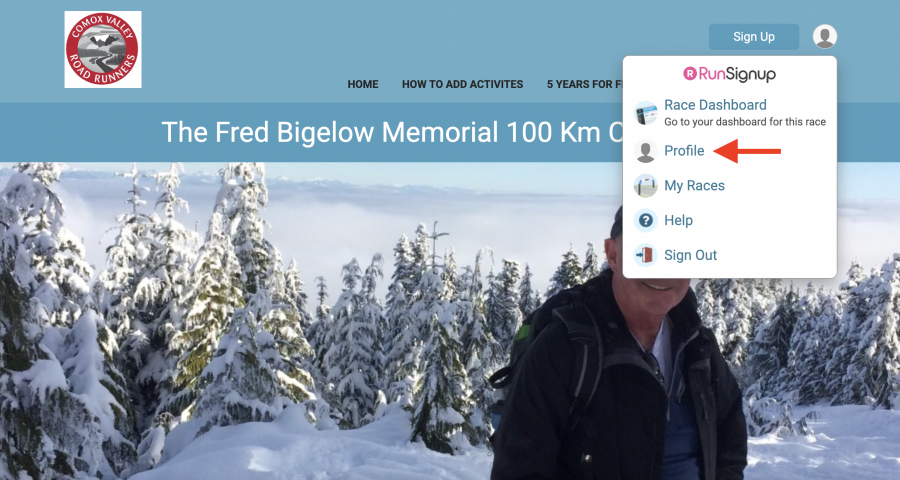
Once you've completed an activity, head to the race website and click the Profile pic.
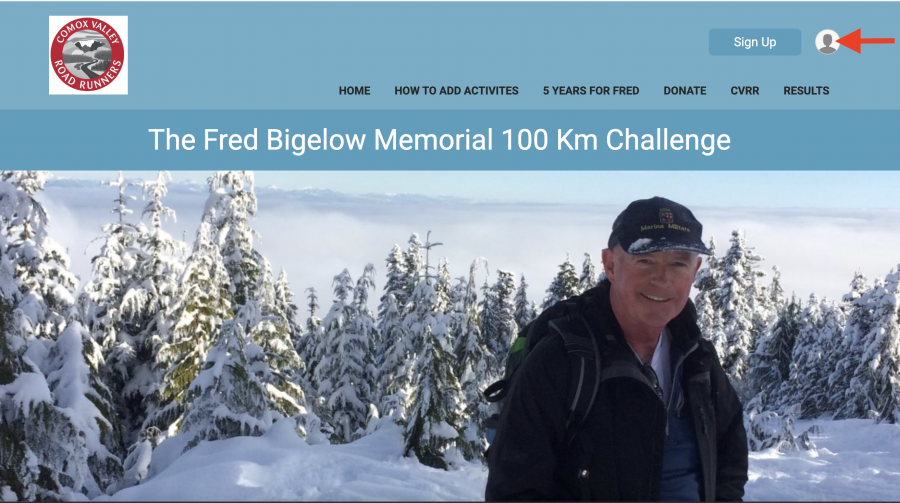
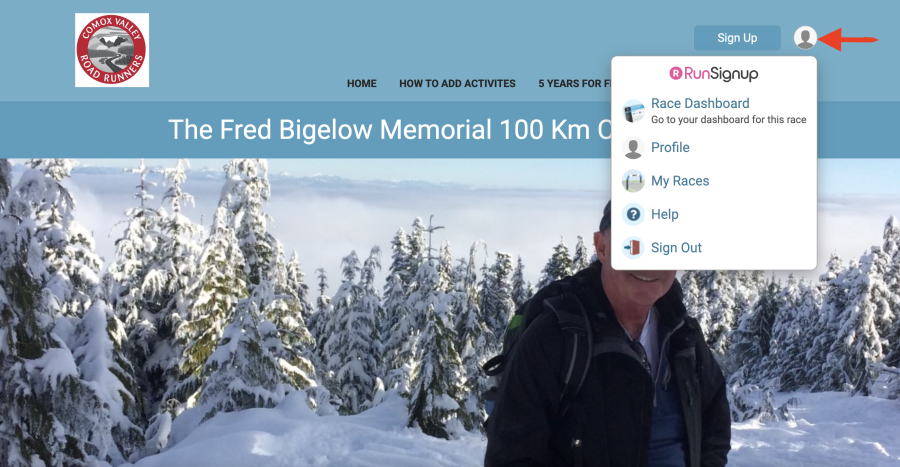
This will open the info box. 
 

Step 3

Click on Profile.
Step 4

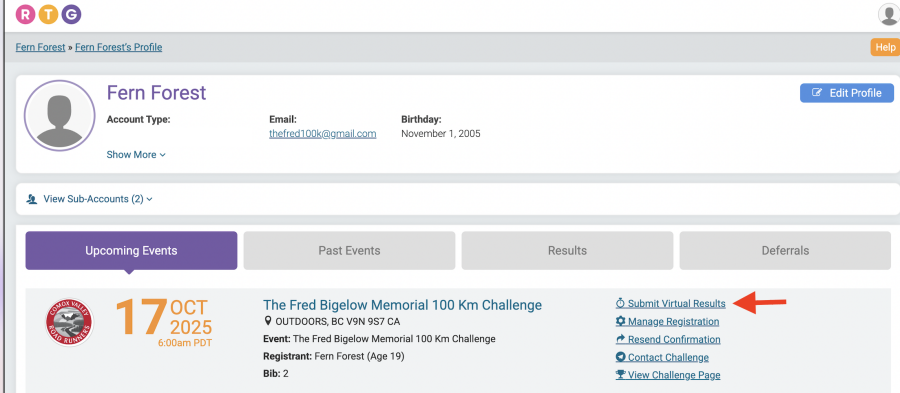
This will open your profile. Click on Submit Virtual Results.
Step 5

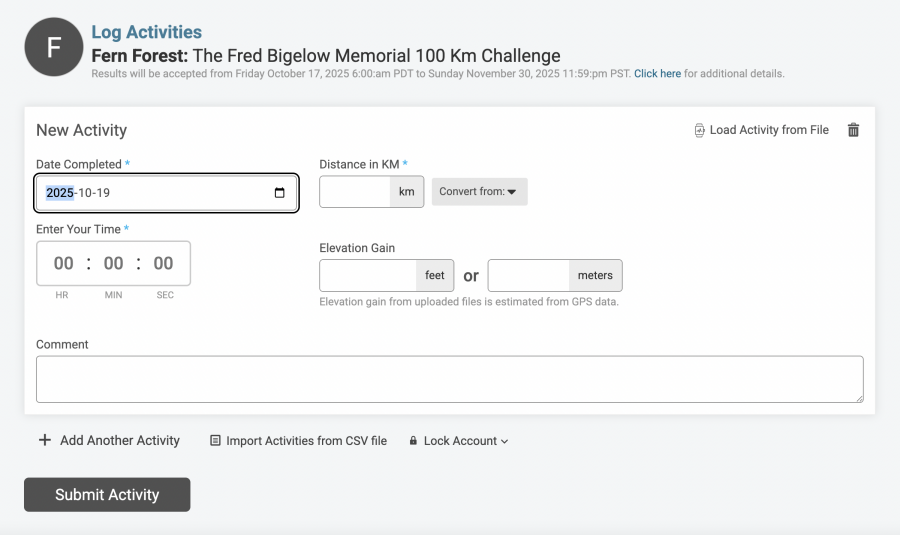
Submit your activity details.

  • Enter Date Completed

  • Enter your Distance in KM

  • Enter your Time

  • Enter the Elevation Gain(optional)

  • Add a comment about your activity and how it relates to Fred. (Optional)

  • Click Submit Activity 

Step 6

Confirmation that your activity was successfully added.
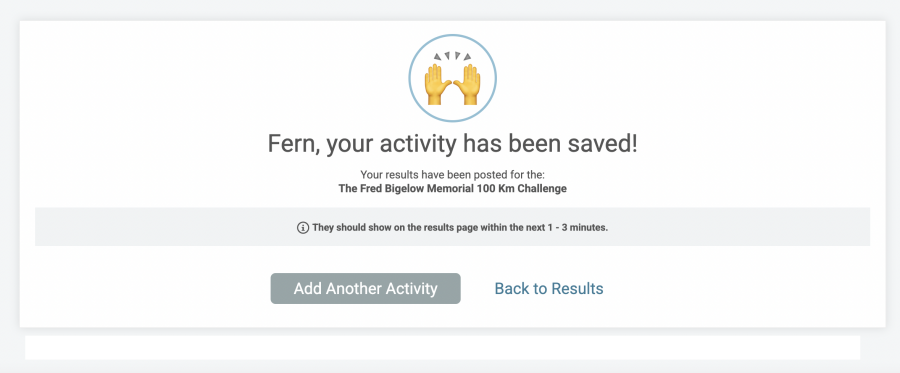
The system will keep track of your progress and display your kilometer accumulation on the progress bar in the results page.

Click on the results tab to view the progress of all participants in the event. To monitor and edit your own progress, click on the profile pic icon as shown in Step 2.

If you continue to use this site, you consent to use all cookies. We use cookies to offer you a better browsing experience. Read how we use cookies and how you can control them by visiting our Privacy Policy.

If you continue to use this site, you consent to use all cookies.